
BETPK Super Ace: A Clear 5-Step Guide for Your First Spin
Learn BETPK Super Ace symbols, paytable checks, spin rhythm, feature screens, and safe Android access before a clearer, more deliberate first session.
Read the Screen Before the First Spin
The spin control is easy to notice. The useful information around it is what makes a first BETPK Super Ace session feel clear instead of rushed. Before you tap anything, give the screen one quiet scan from the centre outward. Find the reel or symbol field, the currently displayed value, the main spin action, and the information or paytable control.
This scan takes only a moment, yet it gives every later movement a reference point. You know where results appear, where a value can change, where the next action begins, and where the current game explains its own rules. The goal is not to predict a result. It is to recognise what the interface is telling you before another animation starts.
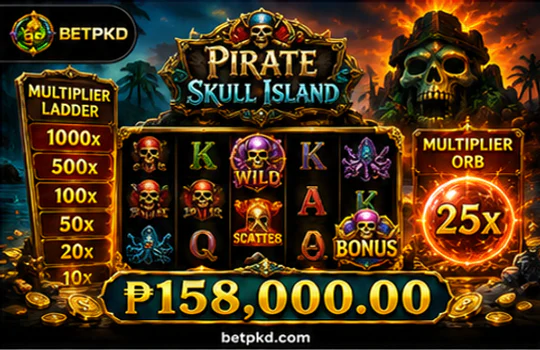
Reel field
Notice where symbols settle and where changed symbols, labels, or counters appear after an action.
Visible value
Read the displayed amount before you change pace, mode, or any setting connected to a spin.
Spin action
Use one deliberate input, then let the full visual response finish before deciding what comes next.
Game information
Open the current rules or paytable panel whenever a symbol, feature term, or temporary state is unclear.
Let the Paytable Turn Symbols Into Meaning
A colourful symbol is only artwork until the current paytable explains its role. In a BETPK Super Ace session, compare the symbols on the reels with the exact labels, diagrams, and winning-pattern instructions shown inside the game information panel. This prevents assumptions carried over from another title, another provider, or a different version of a familiar game.
Start with the ordinary symbol groups, then look for any separately described special symbol. The panel may identify a wild, scatter, multiplier, free-spin symbol, bonus trigger, or another feature term. Treat those words as confirmed only when they appear on the current screen. A feature description tells you what a mechanic does when active; it does not tell you how often it will appear in your session.

Read the winning-pattern diagram as carefully as the symbol list. It shows whether the current game uses lines, adjacent positions, ways, clusters, or another arrangement. Do not import a rule from a different slot simply because the reels look similar. The visible diagram and the current BETPK Super Ace information screen settle the question.
Set the Value, Then Set the Rhythm
A comfortable BETPK slot session is easier to manage when value and pace are separate decisions. First confirm the amount currently displayed. Then change only one control at a time. If quick play, speed control, automatic play, or a similar option is visibly available, remember that it changes how rapidly actions occur; it does not improve the underlying result.
BETPK Super Ace can feel very different at a calm pace and at a faster pace even when the same screen is used. Judge comfort through animation length, control speed, the visible value, and how much attention you need between actions. When the screen starts moving faster than you can read it, the useful response is to slow down or pause, not to chase the previous state.
-
1
Scan
Locate reels, value, spin, and information access.
-
2
Reference
Check the paytable for the symbol or feature you want to understand.
-
3
Confirm value
Read the displayed amount before any action or setting change.
-
4
Act once
Make one deliberate input without stacking extra taps.
-
5
Review
Watch the complete response and note any changed labels or counters.
Calm rhythm
Best when you are learning the interface, reading every label, or comparing how one setting changes the screen.
Faster rhythm
Suitable only when you can still follow the visible value, complete animation, and temporary information without guessing.
Break point
Pause when attention drops, taps become automatic, or you are no longer sure whether the previous action finished.
When the Screen Changes, Read the New Rules First
In BETPK Super Ace, a feature state usually announces itself through a visible change: the background may shift, a counter may appear, a remaining-action label may update, or a temporary instruction may sit beside the reels. That change is your cue to stop treating the screen like the ordinary base state. Read the new labels before pressing another control.

Read the temporary instruction and confirm what is different from the ordinary reel state.
Check remaining actions, progress, or any visible meter by its displayed function only.
Watch one full sequence so you can see which labels update before another input becomes relevant.
Excitement stays readable when you follow the order of rule, counter, response, and next available action. A described mechanic is not a promise that it will trigger frequently, and a visible meter should not be treated as a guaranteed outcome. The screen explains the current state; your job is to let it finish speaking.
Carry the Same Control Check Onto Android
Use the current BETPK official website path when looking for a betpk game download. A verified betpk game download begins with the displayed domain, not a forwarded file. When the site presents a betpk game download apk or betpk game download for android option, follow only the current on-screen steps. Do not rely on copied buttons, unknown mirrors, or a page that changes the brand or destination unexpectedly. Verify the domain and live instructions before opening any mobile file.
- Open the verified BETPK path. Start from the current website and follow the download or mobile-access instruction shown there.
- Read the current file details. Use only the version, size, Android requirement, and publisher information actually displayed.
- Review the installation prompt. Grant source-install permission only when Android requests it for the browser or file manager you are using.
- Check app permissions. Approve only permissions that make sense for the current function, and review them later through Android Settings if needed.
- Open and scan again. Confirm that value, spin, and information controls remain readable and do not overlap on your screen.
If a BETPK game download APK is unavailable, blocked, or unclear, return to the mobile web version rather than forcing a file. The browser path can still provide a clean BETPK slot experience while you wait for current BETPK game download for Android instructions, using the same scan, paytable, value, and pacing routine.
Member value stays separate from gameplay rules
New registered members can receive a registration reward of up to ₱888, and a qualifying first deposit can receive an extra reward equal to 100% of the eligible deposit amount. “Up to” is the maximum available reward, while eligibility, wagering, and withdrawal conditions remain on the current registration or activity screen. VIP levels can also include higher cashback, priority withdrawals, birthday gifts, and dedicated customer service, with benefits varying by level and current terms.
Review current BETPK promotions and VIP termsPause, Recheck, and Continue With a Clear Screen
An unclear state does not need an instant second tap. If a reel response, feature transition, download step, or account screen is uncertain, restore a readable state first. This keeps a small interface problem from becoming a chain of repeated actions you cannot confidently track.
Pause input
Stop tapping until the current animation, loading state, or temporary feature response is complete.
Reopen information
Use the current paytable or game information panel to confirm the active rule or symbol meaning.
Confirm the value
Read the displayed amount again before resuming or changing any control.
Refresh carefully
Return to the BETPK slot page or refresh only when no action status is pending or uncertain.
Use support
For unresolved account or access issues, get help with BETPK access through the official channels shown on the site.
Registered users can request help through the online chat, Zalo, Telegram, or email channels currently displayed by BETPK. Use only official contact details visible on the current website. For a wider category comparison, return to the BETPK category guide, compare this reel rhythm with BETPK fishing controls, or see how it differs from dealer-led live casino rounds.
Open the current Super Ace screen with the interface already familiar
Before opening BETPK Super Ace, you now know where to scan, where to verify rules, how to control rhythm, how to read a feature state, and how to confirm official mobile access.